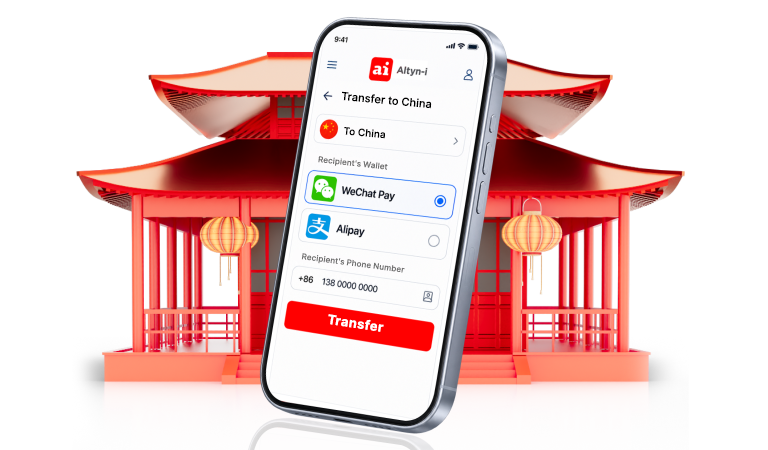

Go to the "Transfers" section and select "To China".
Choose WeChat(Weixin) or Alipay.
Enter the phone number linked to the e-wallet and the recipient's first and last name.
Enter the amount, select the card or account to debit, and confirm the transaction.
Once the transfer is sent, the receipt and transfer status will be available in Altyn-i
In the Altyn-i mobile app, individuals can transfer money to other individuals (e-wallet holders).
If you are sending money to an Alipay e-wallet, make sure the recipient is a resident of China before initiating the transfer.
For transfers to WeChat Pay, the recipient can be either a resident or a non-resident of China.
The phone number linked to the e-wallet and the recipient's first and last name in Latin characters.
This is a link to the e-wallet's guidelines for the recipient. If you see this link, share it with the recipient. This may help speed up the transfer process.
Confirm the phone number linked to the e-wallet with the recipient. It usually starts with the country code +86, followed by the phone number.
When receiving a transfer for the first time, the recipient must accept the e-wallet's terms and conditions in WeChat Pay or Alipay.
How it works:
The e-wallet provider will send an SMS to the recipient's phone number asking them to accept the terms and conditions.
The recipient must open the WeChat or Alipay app, go to their e-wallet, and accept the service's terms and conditions.
Once the terms are accepted, the transferred funds will be credited to the recipient's e-wallet.
For subsequent transfers, funds will be credited in real time.
The maximum amount per transaction is CNY 50,000, equivalent to up to USD 7,000.
Please note that transfers cannot be cancelled. The recommended way to resolve this is for the recipient to voluntarily return the funds.
0.9%, minimum KZT 5,000 (including VAT).